 SpaceKing for Mac
Mac storage full?
Get your space back.
SpaceKing shows you exactly what's filling up your Mac — junk files, duplicate copies, big old downloads and leftover apps — and clears it safely in one click.
Free scan · Clean with Premium · Made in India 🇮🇳
Sound familiar?
SpaceKing was made for exactly these moments.
“Your startup disk is almost full.”
Not enough space to install the macOS update.
No room left for new photos and videos.
No idea what is actually taking up all that space.
Easy as 1-2-3
Free up space in a minute
Scan
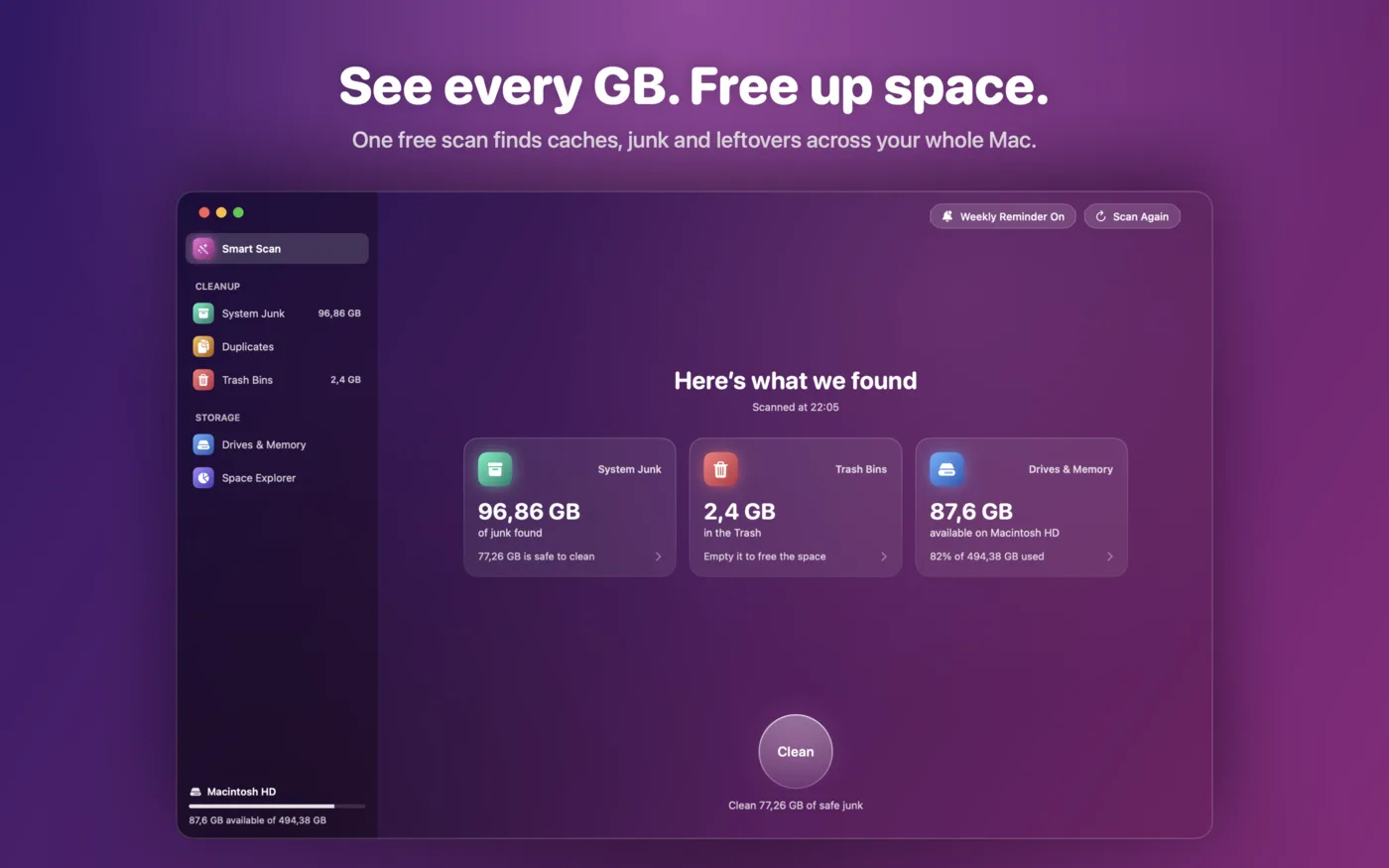
Open SpaceKing and press Smart Scan. In about a minute you see how much space is hiding in junk.
Check
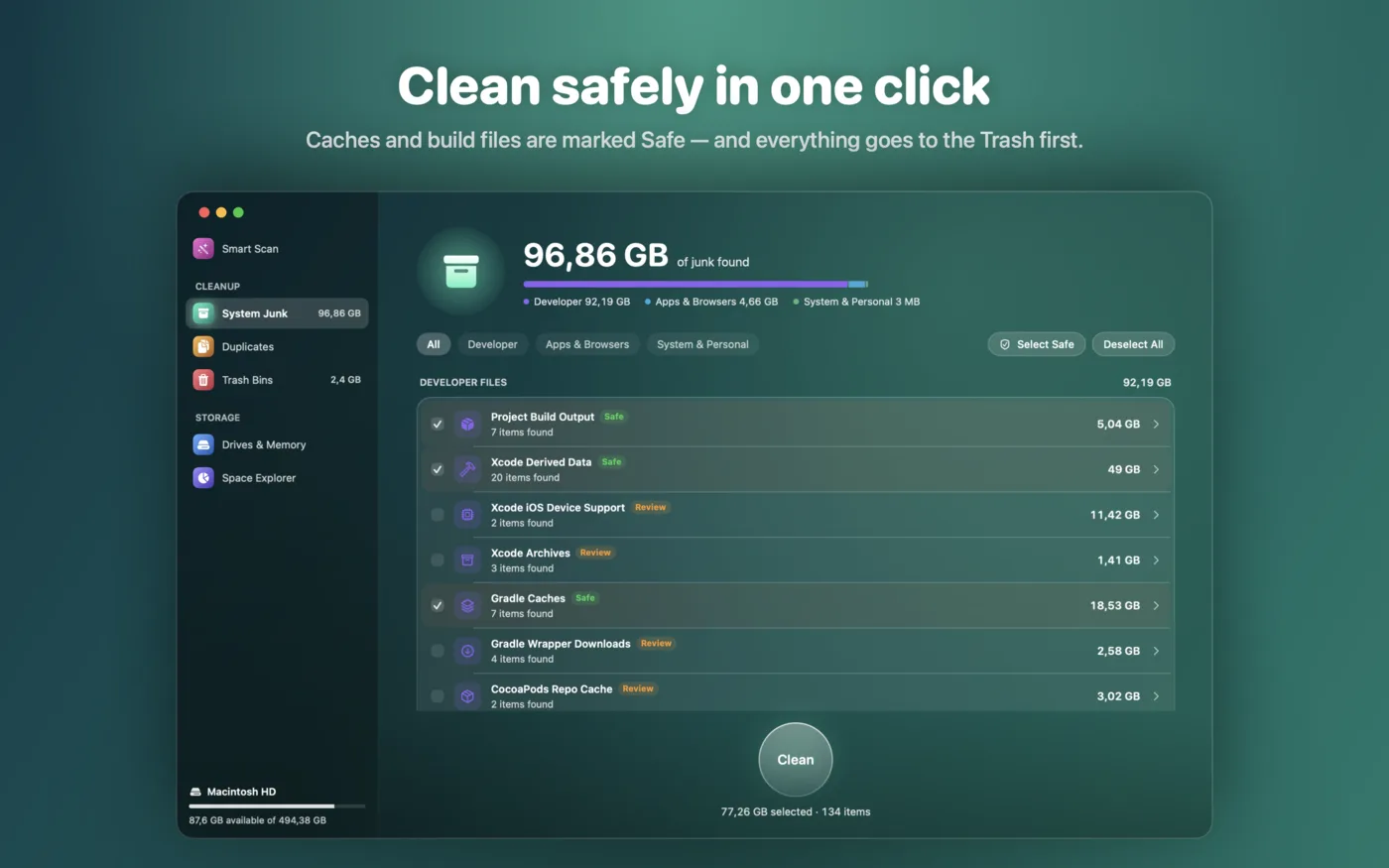
Everything is grouped and explained. Safe items are ticked for you; anything that might matter is left for you to decide.
Clean
One click and the space is back. Cleaned files go to the Trash first, so you can change your mind.
Smart Scan
One button. Your whole Mac checked.
No settings, no confusing options. SpaceKing looks through your Mac for old caches, logs, leftover files and forgotten downloads, then shows you one simple total.
- ✓Works in about a minute
- ✓Free to scan — see the result before you pay anything
Junk Cleanup
Clear the junk, keep what matters.
App and browser caches, logs, crash reports and old downloads — all grouped, sized and explained. Things that rebuild themselves are marked “Safe”; anything else is marked “Review” and left unticked.
- ✓Your browser history, passwords and bookmarks are never touched
- ✓Expand any group to see every single item
Drives & Memory
Every drive, at a glance.
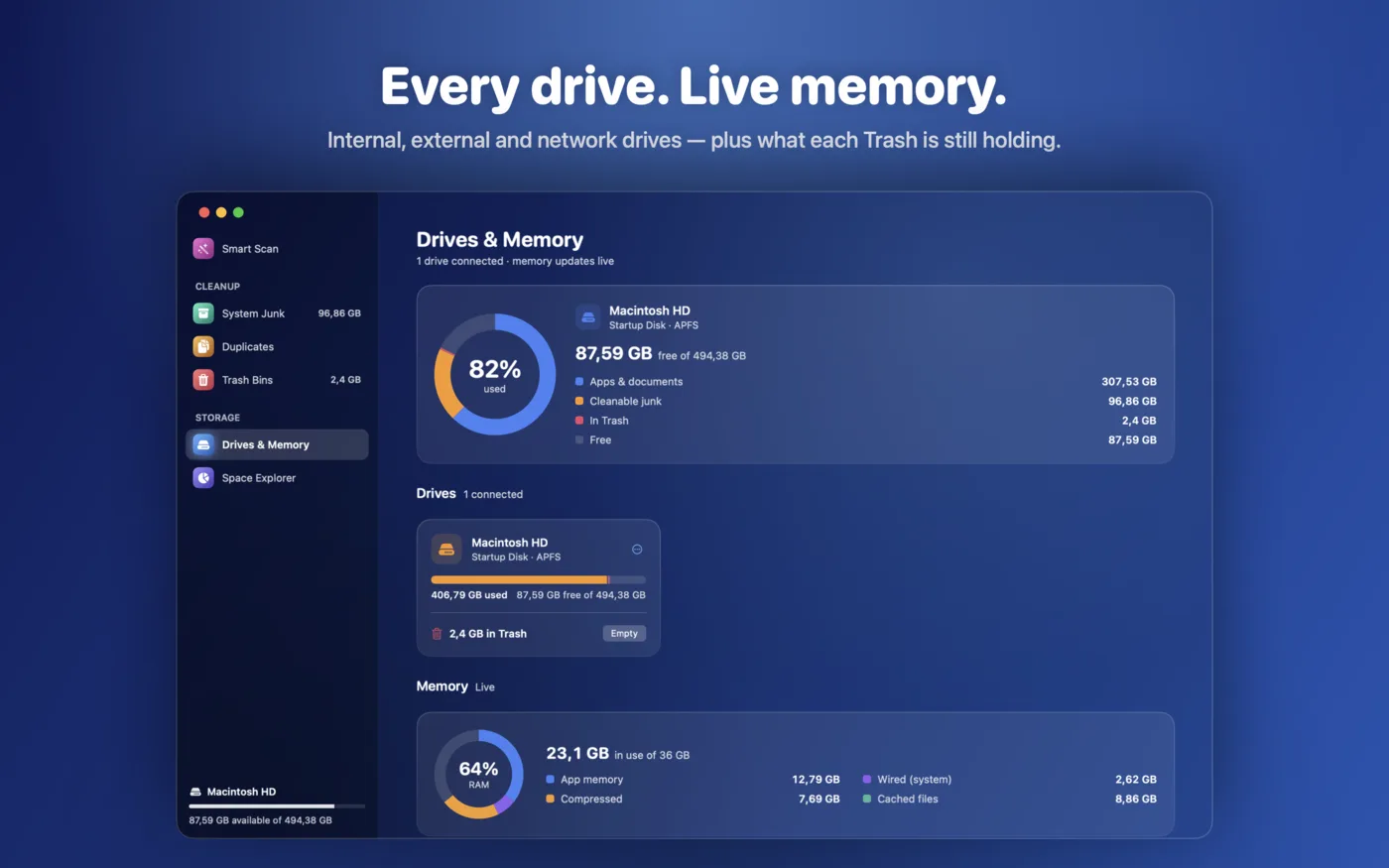
See used and free space on your Mac and on every connected drive — external disks and network drives too — plus how much each drive's Trash is holding and how much memory (RAM) is in use right now.
- ✓Empty the Trash on every drive from one place
Space Explorer
No more “where did my space go?”
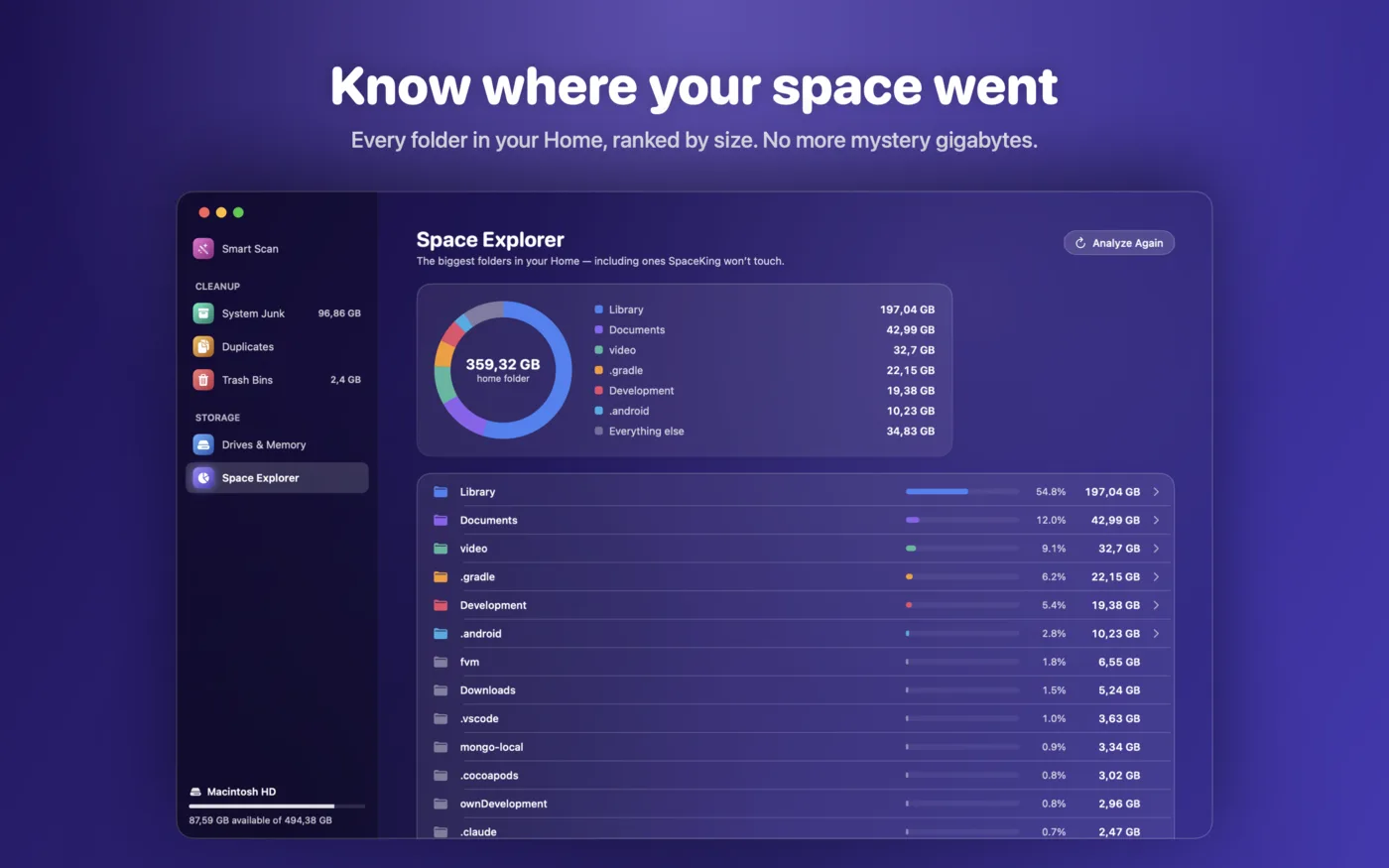
Space Explorer ranks every folder in your Home by size — even the things SpaceKing would never delete, like your video library. So there's no mystery gap between what you have and what you can see.
- ✓Biggest folders first
- ✓Great for finding that old project or movie collection
Duplicates & Unused
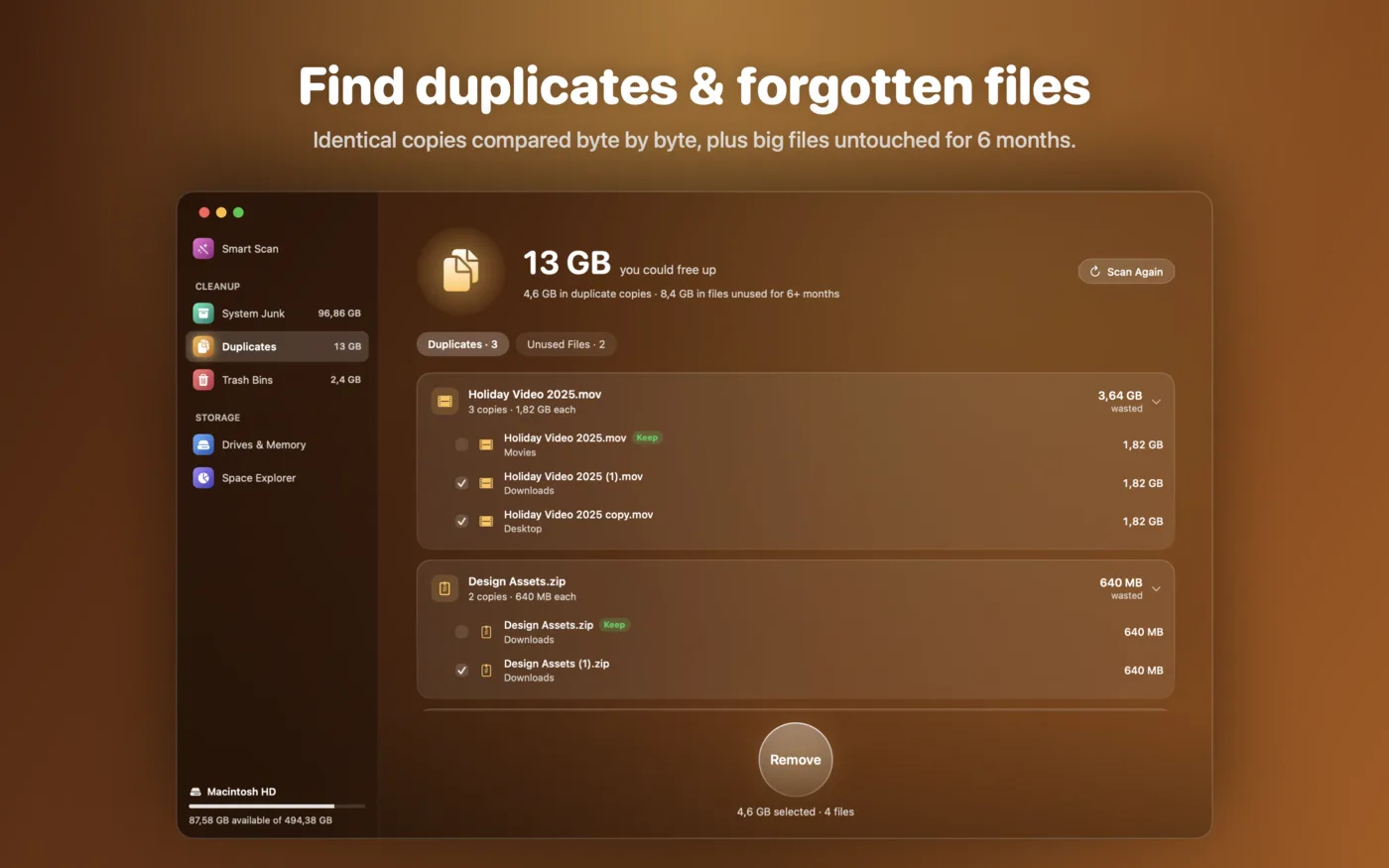
The same file, twice? Gone.
SpaceKing compares files by their actual content, not just their name, so it finds real copies. It also spots big files you haven't opened in over six months.
- ✓One copy of every file is always kept
- ✓Your Photos and Music libraries are skipped
And there's more
Uninstall apps completely
See what every app really takes up — including the hidden files it keeps — and remove it all in one step.
Lives in your menu bar
Free space, memory, junk and Trash at a glance, with Smart Scan one click away.
Weekly reminder
A gentle note once a week showing how much junk has built up. Turn it off any time.
Trash on every drive
External drives keep their own Trash. Empty them all from one screen.
Built to be safe
Cleaning your Mac shouldn't be scary. SpaceKing is careful by design.
- ✓Nothing is removed until you choose it
- ✓Cleaned items go to the Trash first — you can still undo
- ✓Photos library, music library, passwords and bookmarks are never touched
- ✓Your files never leave your Mac — no ads, no tracking, no analytics
Try it free first
See exactly what's taking space before you pay anything.
Free
See everything
- ✓ Smart Scan
- ✓ Drives & Memory
- ✓ Space Explorer
- ✓ Duplicates & Unused report
- ✓ Menu bar & weekly reminder
Monthly or Lifetime
Clean it all
- ✓ Clean junk in one click
- ✓ Remove duplicate files
- ✓ Uninstall apps completely
- ✓ Empty the Trash on every drive
Questions? Answers.
Is SpaceKing free?+
Scanning and every report are free, so you can see exactly what's taking space. Cleaning, removing duplicates, uninstalling apps and emptying the Trash need SpaceKing Premium — monthly, or a one-time Lifetime purchase.
Will it delete my photos or documents?+
Only if you pick them. SpaceKing never removes anything on its own. Your Photos and Music libraries are skipped entirely, and duplicate cleaning always keeps one copy.
What if I clean something by mistake?+
Cleaned items go to the Trash first, so you can put them back. The confirmation screen clearly tells you about the few things that can't be undone, like emptying the Trash itself.
Does it upload my files anywhere?+
No. Your file names, folders and scan results stay on your Mac. There are no ads, no tracking and no analytics. Purchases are handled through your Apple Account.
I'm a developer — does it help me?+
A lot. It also finds Xcode, Gradle, npm, CocoaPods, Cargo and Flutter caches, and build folders like node_modules, build and Pods inside your projects — often tens of gigabytes.
Give your Mac room to breathe.
Scan for free and see how much space you can get back today.